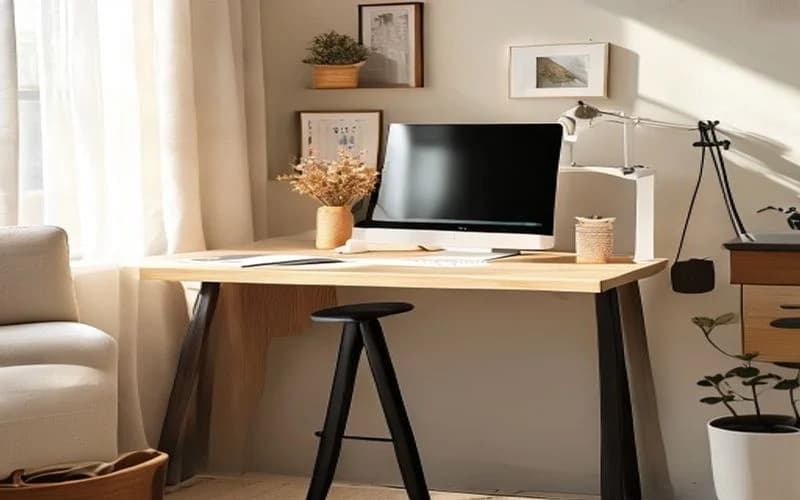
Standing Desk Accessories: 12 Must-Haves for Your Setup
Your standing desk is only as good as its accessories. From cable trays to footrests, here are 12 accessories ranked by how much they actually improve your workday.
Giang Nguyen
Wood Manufacturing Expert
The Accessory Priority Stack
Not all standing desk accessories are created equal. Some genuinely improve your health and productivity. Others are nice-to-haves that solve minor annoyances. And some are solutions looking for problems.
We've ranked these 12 accessories by impact per dollar — how much each one improves your daily work experience relative to its cost. Buy from the top of this list down, and stop when your budget runs out.
Tier 1: Essential (Buy These First)
1. Anti-Fatigue Mat — $39–$119
Impact: ★★★★★ | Without a mat, foot fatigue limits comfortable standing to 30 minutes. With a quality 3/4" polyurethane mat, that extends to 60–90 minutes.
Our top pick is the CumulusPRO Commercial Mat ($59) — 24" × 36", 280 kg/m³ density, and 91% thickness retention after 10,000 compression cycles. For contoured terrain, the Topo by Ergodriven ($119) encourages constant micro-movements. Read our [full anti-fatigue mat review](/guides/best-anti-fatigue-mats-standing-desk) for lab-tested data.
2. Monitor Arm — $39–$349
Impact: ★★★★★ | A desk-clamped monitor arm moves your screen with the desk during height transitions. Without one, your monitor stays at sitting height when you stand — or vice versa — and your neck suffers.
The Ergotron LX ($179) is the gold standard: 25 lb capacity, mechanical spring with zero drift, integrated cable management. Budget alternative: AmazonBasics arm ($119) with the same Ergotron mechanism. See our [monitor arm testing results](/guides/best-monitor-arms-standing-desks).
3. Cable Management Tray — $15–$40
Impact: ★★★★☆ | Standing desks move. Cables don't. Without a cable tray, your cables pull taut at max height and sag at minimum height, stressing connectors and creating a visual mess.
The J-Channel Cable Raceway ($15 for a 2-pack) mounts under your desk with adhesive or screws and holds 8–10 cables. For a more premium solution, the Uplift Cable Management Tray ($39) hangs from the desk frame and accommodates power strips, adapters, and excess cable length.
Installation tip: Mount the tray near the back of the desk, as close to the center as possible. Route cables from the tray to the floor using a cable spine ($12) that extends and retracts with desk height changes. Leave 6" of slack at the floor connection.
4. Keyboard Tray — $49–$149
Impact: ★★★★☆ | Your keyboard should be at elbow height with your forearms parallel to the floor. Most standing desks position the keyboard on the desk surface, which is 1–3 inches too high for optimal typing ergonomics — especially while standing.
A clamp-on keyboard tray lowers your keyboard and mouse 2–4 inches below the desk surface, bringing them to elbow height. The VIVO Clamp-On Keyboard Tray ($49) holds up to 4 lbs and extends 10" from the desk edge. The Humanscale 6G System ($149) is a premium option with adjustable negative tilt that matches the natural pronation angle of your wrists.
Who needs it most: Users over 5'10" who find their desk surface too high even at minimum height, and anyone who experiences wrist strain during extended typing sessions.
Tier 2: Important (Buy These Next)
5. Footrest — $25–$79
Impact: ★★★★☆ | A tilting or rocking footrest encourages dynamic weight shifting while standing. Instead of locking both feet flat on the mat, you alternate between resting one foot on the footrest — the same posture people naturally adopt at a bar.
The ErgoFoam Adjustable Footrest ($39) tilts between 0° and 20° and doubles as a seated footrest. The Humanscale FR300 ($79) has a rocking motion that promotes continuous micro-movement.
Physiology note: Elevating one foot by 4–6 inches reduces lumbar spine load by approximately 8% (biomechanics literature). It also prevents the "locked knees" posture that restricts blood flow to the legs.
6. Desk Pad / Desk Mat — $20–$60
Impact: ★★★☆☆ | A desk pad serves three functions: it protects the desk surface from scratches and moisture rings, provides a consistent mouse surface across the entire desk, and absorbs sound from keyboard typing.
For solid wood desks like the [Uplift V2 rubberwood](/reviews/uplift-v2-solid-wood) or [Jarvis Bamboo](/guides/best-bamboo-standing-desks), a felt or leather desk pad is especially important — wood surfaces show water rings and scratches more readily than laminate.
Material recommendations:
- Cork + leather: $30–$50. Eco-friendly, naturally antimicrobial, absorbs typing sound
- Felt wool: $20–$35. Soft, warm, but shows stains
- PU leather: $15–$30. Waterproof, easy to clean, less premium feel
7. USB-C Hub / Dock — $35–$200
Impact: ★★★☆☆ | Laptops at standing desks need to connect to monitors, peripherals, and power with a single cable. A USB-C dock mounted to the underside of your desk keeps the connection point fixed — you plug in once and the dock handles everything.
Mount the dock under the desk with Velcro strips. This way, you have one cable dropping from the desk surface to your laptop — clean, minimal, and easy to disconnect when you move to the couch.
8. Headphone Hook — $8–$25
Impact: ★★★☆☆ | A clamp-on headphone hook is the simplest accessory on this list — and one of the most satisfying. The Elevation Lab Anchor ($12) mounts under the desk edge with 3M adhesive and holds up to 2 lbs. The APPHOME hook ($8) clamps to desk edges up to 1.9" thick.
Why rank it this high? Because headphones left on the desk surface get knocked off during height transitions, tangled in cables, and rolled over by mice. A hook eliminates all three problems for under $15.
Tier 3: Nice-to-Have (When Budget Allows)
9. Monitor Light Bar — $25–$100
Impact: ★★★☆☆ | A monitor light bar sits on top of your screen and illuminates your desk surface without creating glare on the monitor. For evening work or video calls in dim rooms, it's a significant upgrade.
The BenQ ScreenBar Halo ($99) has an ambient light sensor that adjusts brightness automatically and a wireless puck controller. The Quntis Monitor Light Bar ($26) provides 80% of the functionality at 26% of the price.
10. Power Strip with USB — $20–$45
Impact: ★★☆☆☆ | Mount a slim power strip inside your cable tray to keep all power connections on the desk frame — not trailing to a wall outlet. This consolidates cables and means only one power cord needs to reach the floor.
Look for a strip with at least 2 USB-A + 1 USB-C port and a flat plug that fits inside the cable tray. Surge protection (1,000+ joules) is worth the extra $5–$10.
11. Wireless Charging Pad — $15–$40
Impact: ★★☆☆☆ | Reduces one cable on your desk surface. The [EverDesk Max](/guides/best-solid-wood-standing-desks) has this built in; for other desks, a slim Qi pad ($15–$25) sits under a desk pad and charges through surfaces up to 8 mm thick.
12. Under-Desk Drawer — $25–$59
Impact: ★★☆☆☆ | Standing desks usually don't have drawers. A clamp-on or adhesive-mounted under-desk drawer holds pens, sticky notes, earbuds, chargers, and other small items that otherwise clutter the surface.
The FEZIBO standing desk includes a basic pull-out drawer — one of the few budget desks to do so. For desks without drawers, the HUANUO Under-Desk Drawer ($29) clamps to any surface up to 1.5" thick.
Complete Setup Cost by Budget
| Budget | Accessories to Buy | Total Cost |
|---|---|---|
| $100 | Mat + cable tray + headphone hook | $82–$134 |
| $250 | Above + monitor arm + footrest | $185–$387 |
| $400 | Above + keyboard tray + desk pad + light bar | $260–$571 |
| $500+ | Full 12-item setup | $334–$885 |
Accessory Compatibility by Desk
| Desk | Cable Tray Included? | VESA Holes? | Drawer? | USB Ports? |
|---|---|---|---|---|
| [Uplift V2](/reviews/uplift-v2-solid-wood) | Optional ($39) | No (clamp) | No | No |
| [Jarvis Bamboo](/guides/best-bamboo-standing-desks) | Optional ($35) | No (clamp) | No | No |
| [FlexiSpot E7 Pro](/guides/best-standing-desks-under-500) | No | No (clamp) | No | No |
| [EverDesk Max](/guides/best-solid-wood-standing-desks) | Yes (built-in) | No (clamp) | No | Yes (USB-C) |
| [FEZIBO](/guides/best-standing-desks-under-500) | No | No (clamp) | Yes | No |
| [Secretlab Magnus Pro](/guides/best-standing-desks-2026) | Yes (magnetic) | No (clamp) | No | No |
The One Mistake Everyone Makes
The most common standing desk accessory mistake is buying everything at once before you know what you need. Start with the Tier 1 essentials (mat, monitor arm, cable tray). Use your desk for 2 weeks. Then identify your specific pain points — is your keyboard too high? Do your feet ache? Are cables tangling during transitions? Buy accessories that solve those specific problems.
For the desk itself, see our [Best Standing Desks 2026](/guides/best-standing-desks-2026) guide. For the science behind how long to sit vs. stand, read our [sit-stand schedule guide](/guides/sit-stand-schedule-desk-workers).
Want to see our testing in action?
Browse our expert-tested standing desk reviews with real lab data.
Explore Reviews